When their bookings are made (or edited) a parent receives a confirmation email. This is sent to the email address on their parent record. If they have no email address, no confirmation is sent.
The email will look like this:
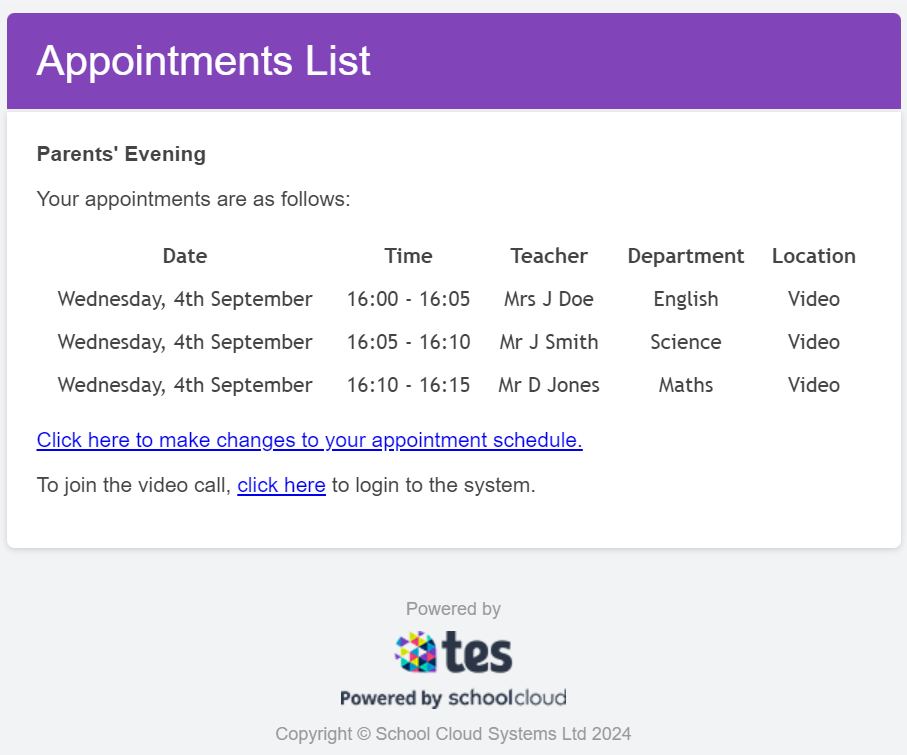
If an evening is not being held via video, the final line will not appear.
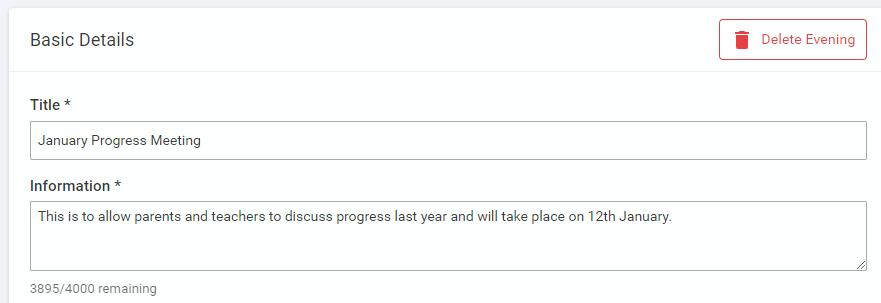
Note that the text at the top contains what you entered in Configure Evening > Basic Details:
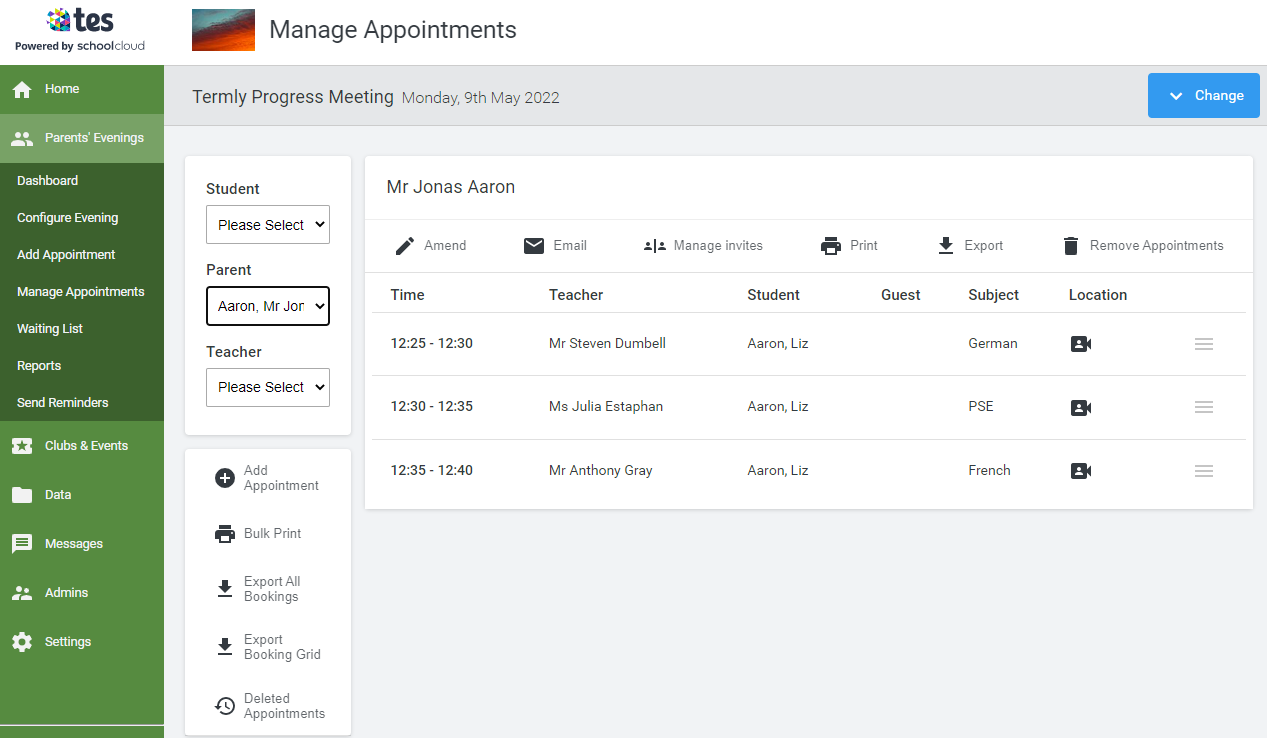
If you need to resend an individual parent's confirmation email, you can do so at any time by clicking the Email option at the top of that parent's appointment list in Manage Appointments:
Was this article helpful?
That’s Great!
Thank you for your feedback
Sorry! We couldn't be helpful
Thank you for your feedback
Feedback sent
We appreciate your effort and will try to fix the article